Getting started
From a new account to your first campaign, in the order VyroHub's setup checklist suggests.
ImplementedWorks in the app today, as this page describes.
Last reviewed against the app on
When you create a workspace, VyroHub shows a setup checklist. It walks you through five steps. You can skip any step and come back to it later; the checklist remembers where you are.
Who can do this: Owner, Admin
Other teammates see the checklist but are asked to let an Owner or Admin finish it.
The setup checklist
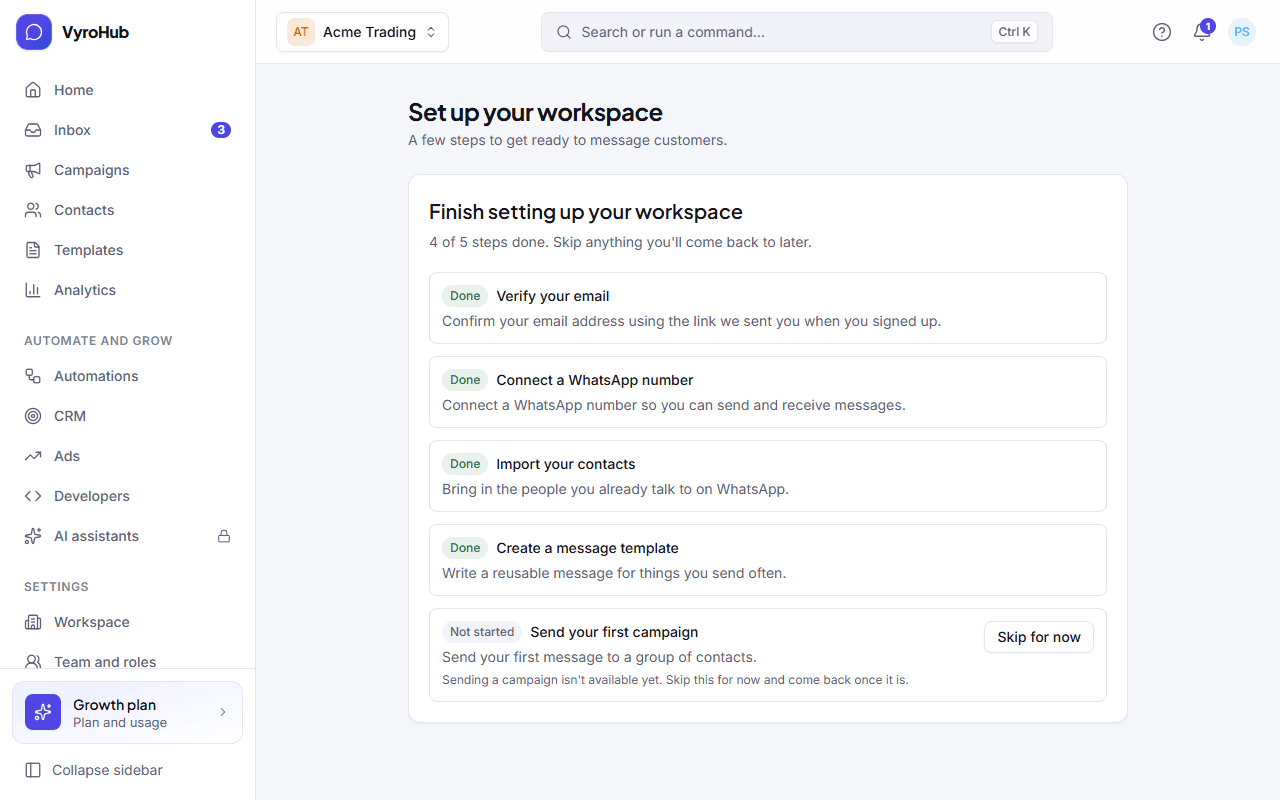
| Step | What it means | Guide |
|---|---|---|
| 1. Verify your email | Click the link we email you, so we know the address is yours. | Create your workspace |
| 2. Connect a WhatsApp number | Link your WhatsApp Business number through Meta's window. | Connect a number |
| 3. Import your contacts | Bring in the people you already talk to, with their permission. | Import contacts |
| 4. Create a message template | Write a message and send it to WhatsApp for approval. | Create a template |
| 5. Send your first campaign | Send the approved template to a group of people. | Create a campaign |
Steps
Open the checklist. It appears on its own after you sign in to a new workspace. You can also open it from the "Finish setting up your workspace" prompt.
Work through the steps in order. Each one opens the screen where you do it. When a step is done it is ticked for you.
Skip what you'll do later. Choose skip on a step. It stays on the list so you can finish it any time.
When it works
Each finished step shows a tick. When all five are done or skipped, the checklist stops asking.
When something goes wrong
| What you see | Why | What to do |
|---|---|---|
| "Your workspace has a billing problem" | An invoice is overdue. | You can still finish setup steps. See missed payments. |
| "Your workspace is suspended" | The workspace was suspended, for example for an unpaid invoice. | Contact support to restore access. Some steps may not work until then. |
| "Your workspace is being closed" | Someone asked to close the workspace. | Setup isn't needed while this is in progress. See close your workspace. |
| "Couldn't skip that step" | A short connection problem. | Try again in a moment. |
| "Ask an Owner or Admin to finish setting up this workspace" | Your role can't do setup. | Ask an Owner or Admin. |