Inbox
The shared team inbox, its views, the 24-hour reply window, and who sees which conversations.
ImplementedWorks in the app today, as this page describes.
Last reviewed against the app on
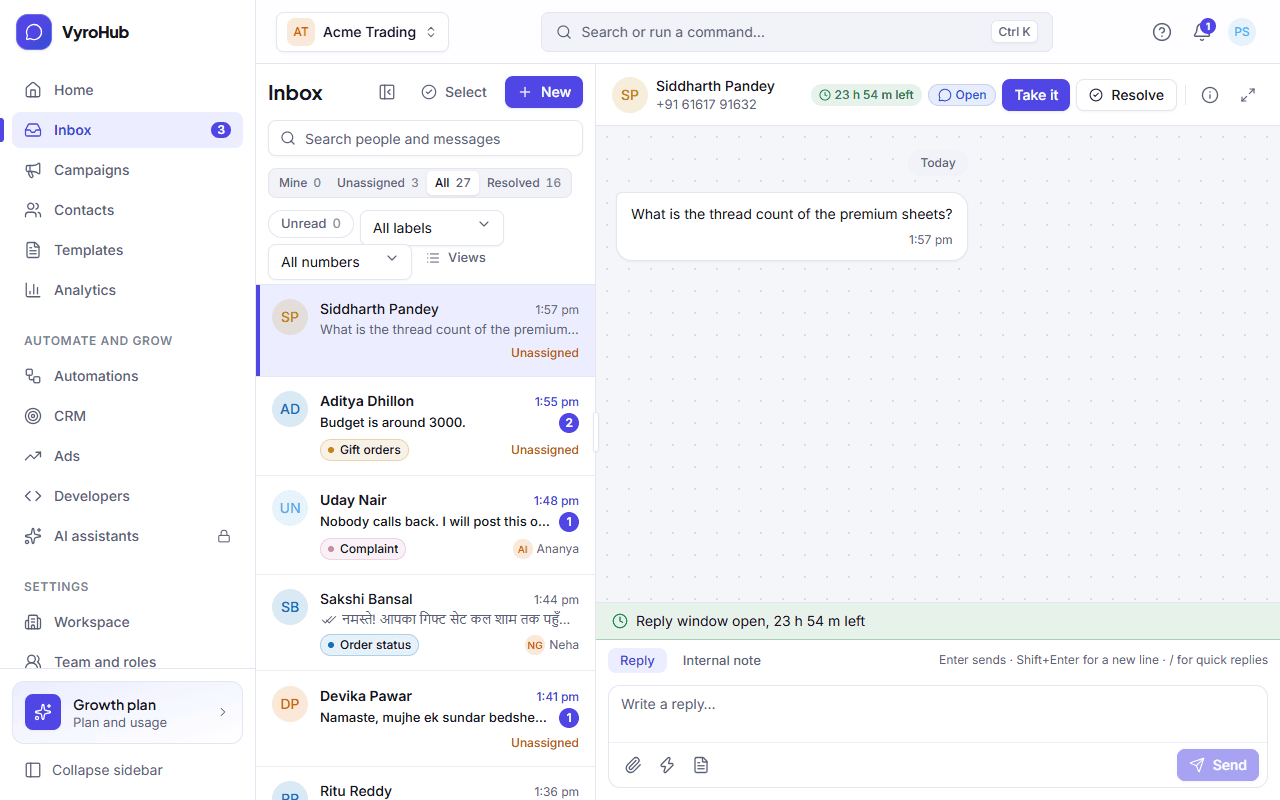
The Inbox is where your team answers customers on WhatsApp together. Every conversation has one person handling it, new messages arrive live without reloading, and nobody can send something WhatsApp would refuse.
Who can do this: Everyone
Owners and Admins see every conversation. A Manager sees their teams' conversations. An Agent sees their own plus the unassigned ones in their teams.
The 24-hour reply window
This is the most important rule in WhatsApp messaging:
| Situation | What you can send |
|---|---|
| The customer wrote to you within the last 24 hours | Anything: text, files, notes to your team. The window is shown with the time left, and a warning when fewer than 3 hours remain. |
| The customer hasn't written in the last 24 hours (window closed) | Only an approved template. When they reply, the window opens again for 24 hours. |
Writing to you opens the window, but it is not permission for marketing.
Views
| View | Shows |
|---|---|
| Mine | Conversations assigned to you. "Nothing assigned to you" means you're caught up. |
| Unassigned | Conversations waiting for someone to pick them up. |
| All | Every open conversation you're allowed to see. |
| Resolved | Conversations marked done. They come back if the customer writes again. |
Each view shows a count. You can also search people and messages, filter by label or by WhatsApp number, and show unread conversations only.
Conversation statuses
| Status | Meaning |
|---|---|
| Open | Someone needs to act. |
| Waiting for customer | You replied; the customer hasn't yet. |
| Resolved | Done for now. A new message from the customer reopens it. |
Guides
Reply to customers
Replies, files, templates, notes, quick replies, and failed messages.
Assign and resolve
Take, hand over, label and resolve conversations.
Start a conversation
Message someone first, with an approved template.
Stop words and opt-outs
How customers stop marketing, and what you see.
Inbox settings
Labels, quick replies, auto-replies, business hours and routing.
Selecting several conversations to assign, label or resolve together. Today it shows "Changing many at once is coming soon"; open each conversation to change it.
Saving a search and its filters as your own view, like "Wholesale to follow up".