Import contacts
Bring in a spreadsheet of people. VyroHub checks every row and asks how they gave permission before anything is added.
ImplementedWorks in the app today, as this page describes.
Last reviewed against the app on
An import has two halves: a dry run that checks your file and shows what would happen, then the real import. Nothing is added until you confirm.
Who can do this: Owner, Admin, Manager
Only import people who agreed to hear from you
Importing a list you bought or scraped breaks WhatsApp's rules and can get your number banned.
Steps
Start. Go to Contacts → Import contacts (or New import on the import history).
Choose your file. A CSV or Excel (.xlsx) file with one row per person and the column names in the first row. For Excel, only the first sheet is read. Not sure about the layout? Choose Download a template.
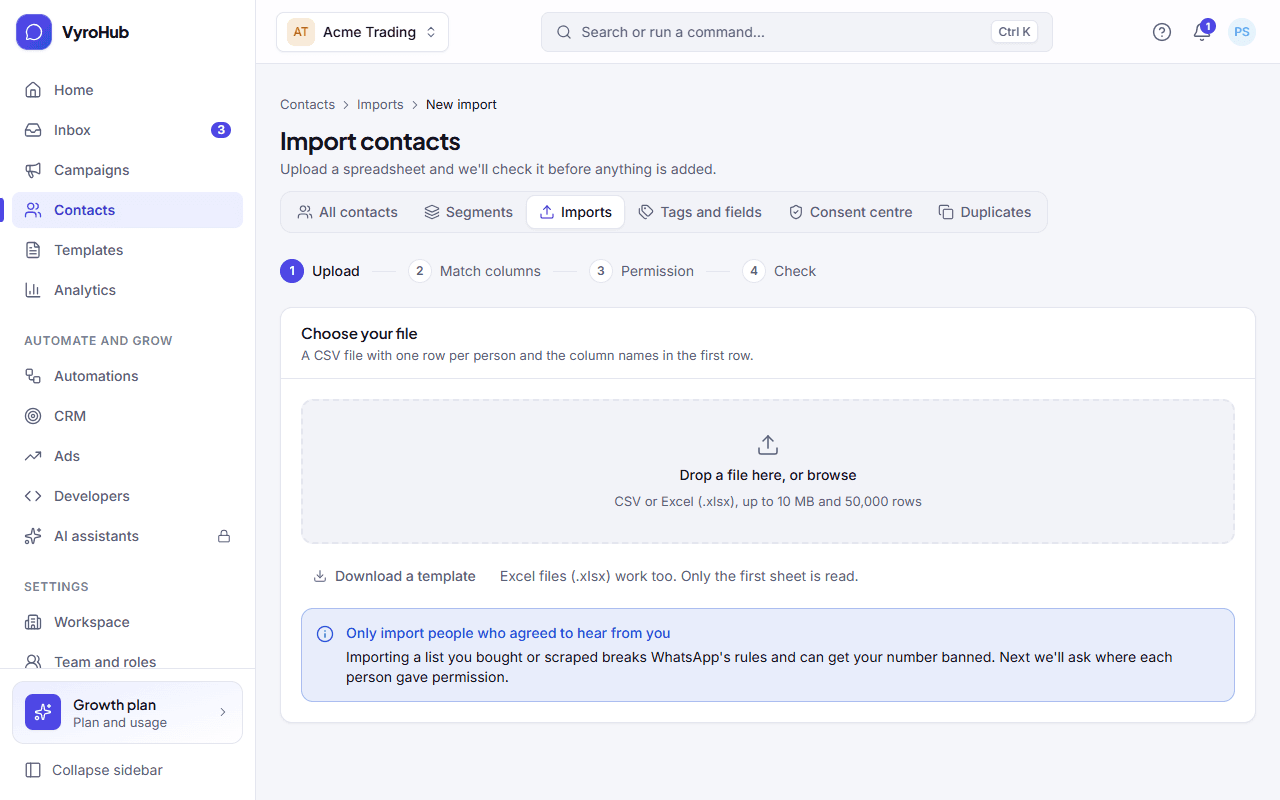
Match your columns. For each column in your file, choose what it becomes: full name, first name, last name, phone number, email, city, language, tags, marketing permission (a yes/no column), the date they agreed, one of your custom fields, or ignore it. The obvious ones are guessed for you from the column names. One column must be the phone number, otherwise nobody can be messaged.
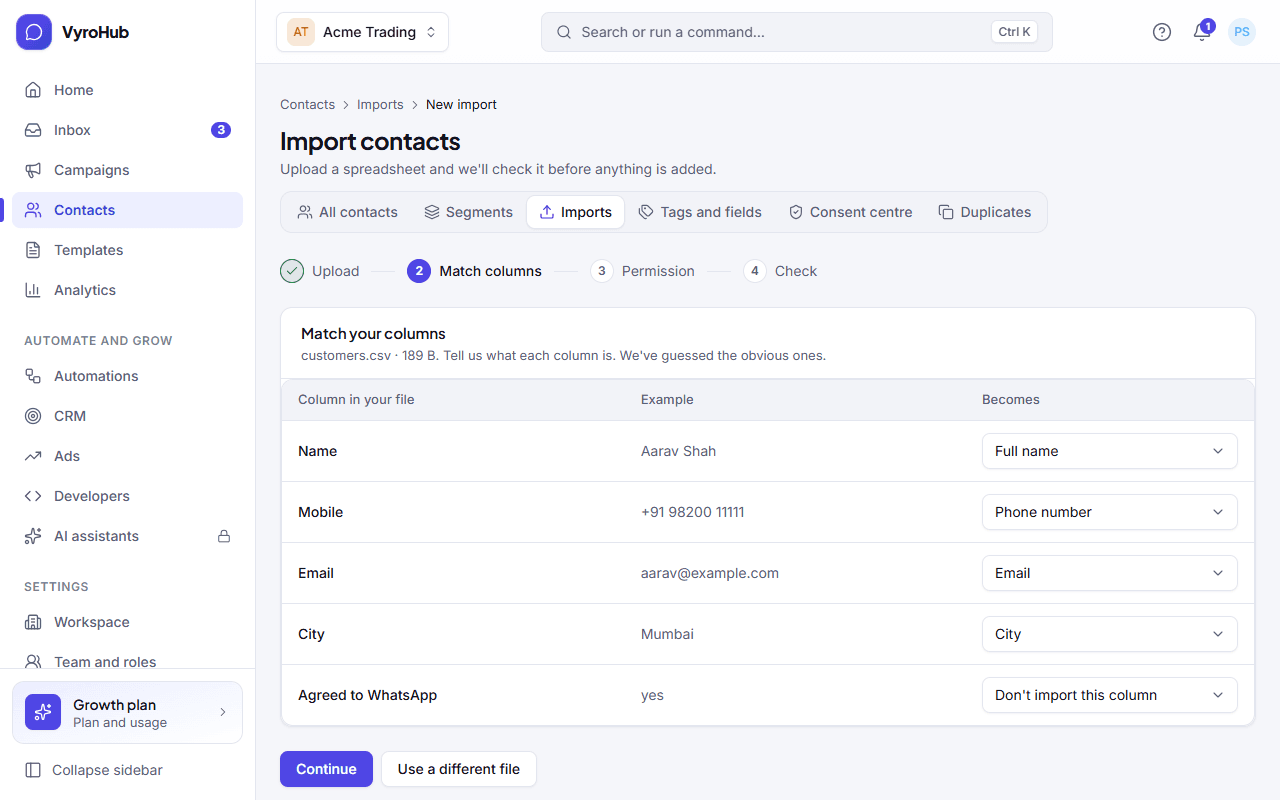
Answer "Did these people agree to hear from you?" You can't skip this; it protects your number.
| Choose | When | What happens |
|---|---|---|
| My file has a column that says who agreed | Your file has a yes/no column, matched to marketing permission in step 3. | Rows with yes, true or 1 (also y, agreed, subscribed, opted in, ok) get permission. Everyone else is imported without it. |
| Everyone in this file agreed | They all agreed the same way, e.g. a sign-up form. | You say where and when, pick the wording they saw, and tick "I confirm these people agreed to receive WhatsApp messages from us". This is kept as proof. |
| I don't have this information | You don't know. | They're imported as contacts but marked not eligible for marketing. You can still reply when they write, and record permission later. |
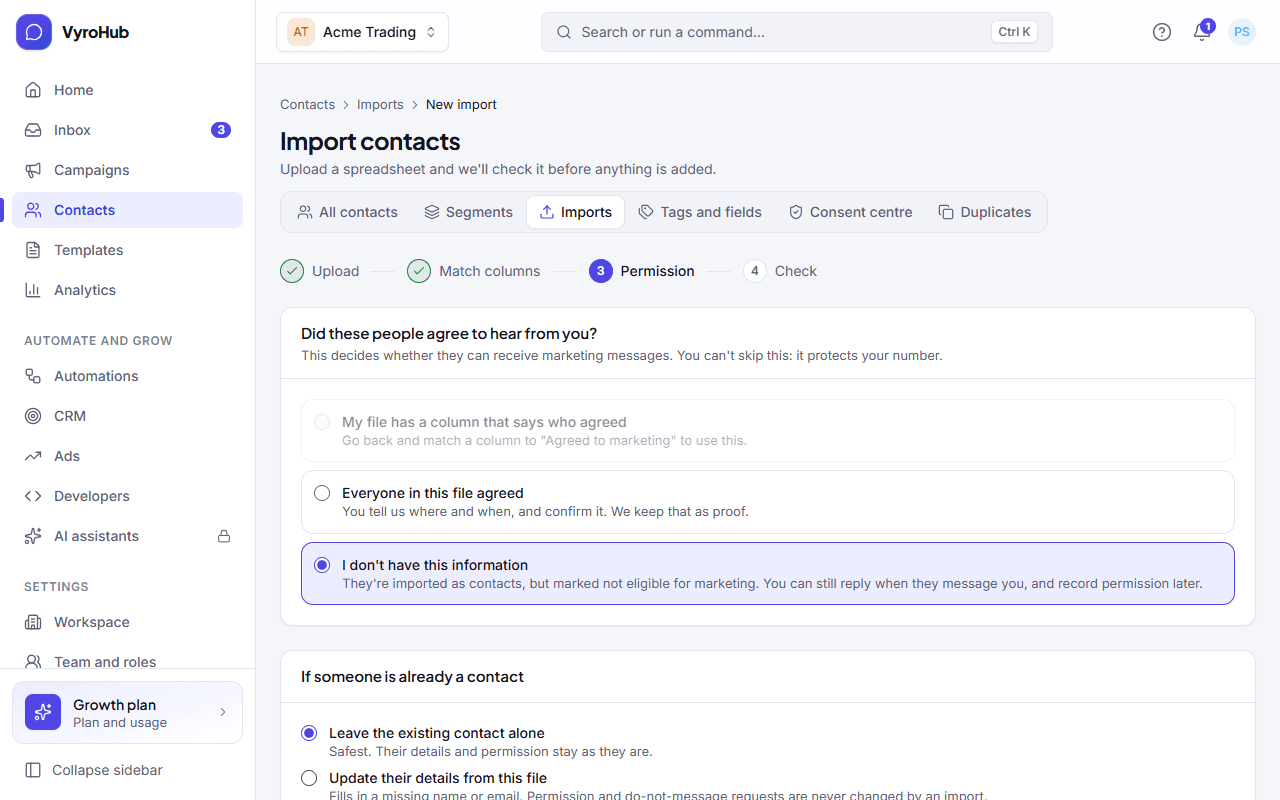
Choose what happens if someone is already a contact.
- Leave the existing contact alone (safest): their details and permission stay as they are.
- Update their details from this file: fills in a missing name or email.
Either way, permission and do-not-message requests are never changed by an import.
Optionally tag everyone from this file, for example "Diwali fair 2026", so you can find them later.
Choose Check the file. VyroHub reads every row ("Checking your file… Nothing is added yet.").
Read "Here's what we found" (see below), then choose Import N contacts. The import runs in the background: you can leave the page and get a notification when it's done.
What the check shows
| Figure | Meaning |
|---|---|
| Ready to import | New contacts that will be added. |
| Already contacts | Rows that match an existing contact: will be updated or will be left alone, as you chose. |
| Have a problem | Rows that will be left out. See the reasons below. |
| Not eligible for marketing | Rows that will be imported without permission. |
| Problems, row by row | The first few problems. Download report for the full list, fix your file, and upload it again. |
When it works
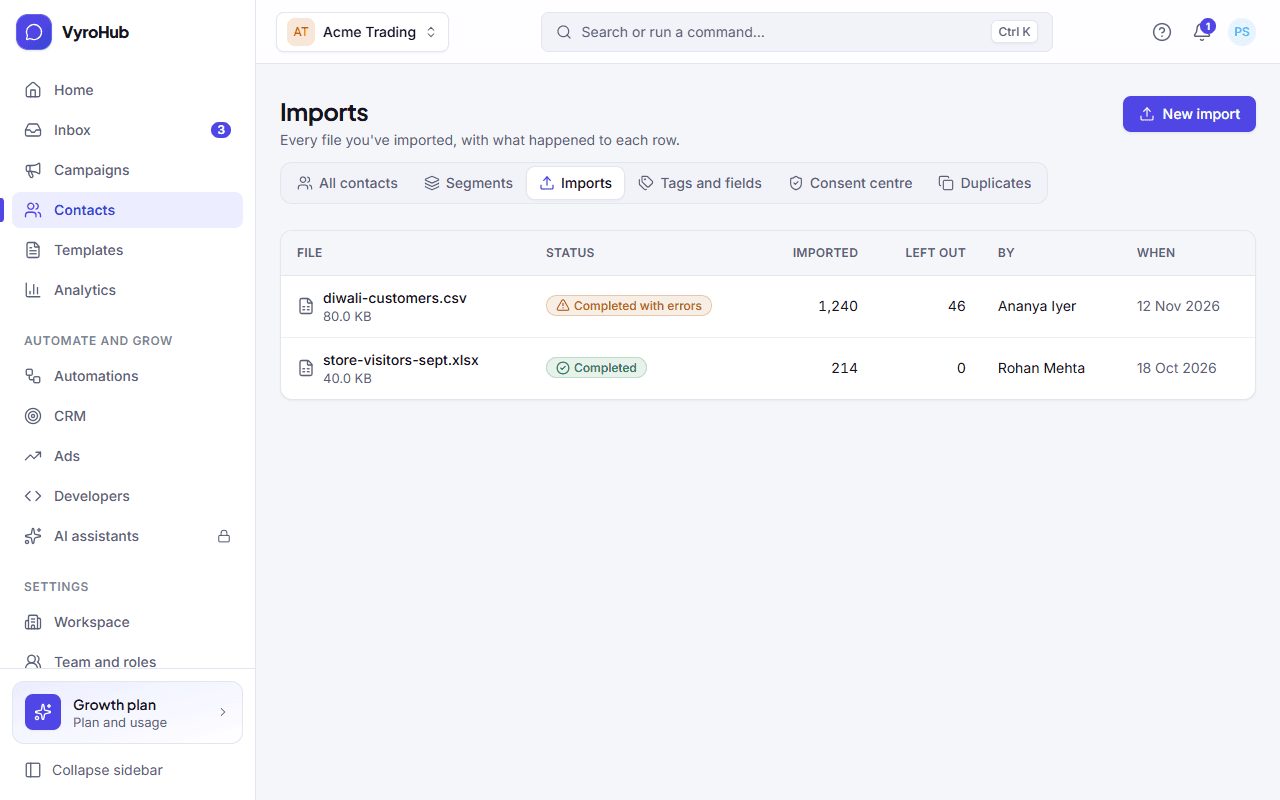
The import history shows "Import finished" and "Everyone valid in the file was added." Choose See contacts to see them. If some rows had problems you see "Import finished, with some rows left out" and can download the report.
When something goes wrong
Problems found in rows (these rows are left out or flagged; the rest import fine):
| Problem | What to fix |
|---|---|
| The phone number isn't valid | Write it with its country code, for example +91 98765 43210. |
| The phone number is missing | Every row needs a number. |
| The email isn't valid | Fix it or leave it empty. |
| The same person appears twice in the file | Keep one row. |
| Already a contact | Not an error: handled as you chose in step 5. |
| No permission recorded | Imported, but not eligible for marketing. |
| The value is too long | Keep each cell under 1,000 characters. |
| Not one of the field's options | For a "One of a list" field, use one of its options. |
| The value doesn't fit the field | A date must be written year-month-day (2026-10-23); a number must be a number; yes/no must be yes or no. |
| A required field is empty | Fill in the custom field your workspace made required. |
Messages about the whole import:
| What you see | Why | What to do |
|---|---|---|
| "We couldn't read that file." | Not a CSV or .xlsx, damaged, or too big. | Save it again as CSV or .xlsx, under 10 MB. |
| "Match one column to Phone number. Without it we can't message anyone." | No phone column chosen. | Match the column that holds the mobile number. |
| "Confirm that these contacts agreed to hear from you, or choose another option." | You chose "Everyone in this file agreed" but didn't tick the confirmation. | Tick it, or choose another option. |
| "There is nothing valid to import." | Every row has a problem. | Fix the file using the report and upload it again. |
| "We couldn't check this file. Upload it again." | The check failed. | Upload the file again. |
| "Import cancelled" | Someone cancelled it. | Start a new import. |
Limits
| Limit | Value | Set by |
|---|---|---|
| File types | CSV or Excel (.xlsx), first sheet only | VyroHub |
| File size | 10 MB | VyroHub |
| Rows in one file | 50,000 | VyroHub |
| Columns in one file | 60 | VyroHub |
| One cell | 1,000 characters | VyroHub |
| Your uploaded file | Deleted 7 days after the import finishes | VyroHub |
| Lifting a do-not-message request | An import never can | VyroHub, by WhatsApp's rules |