Create your workspace
Sign up, verify your email address, sign in, and reset a forgotten password.
ImplementedWorks in the app today, as this page describes.
Last reviewed against the app on
A workspace is your business's space in VyroHub. The person who creates it becomes its Owner.
Who can do this: Anyone with a work email address
Each new workspace starts on a trial of the first plan. See how billing works.
Sign up
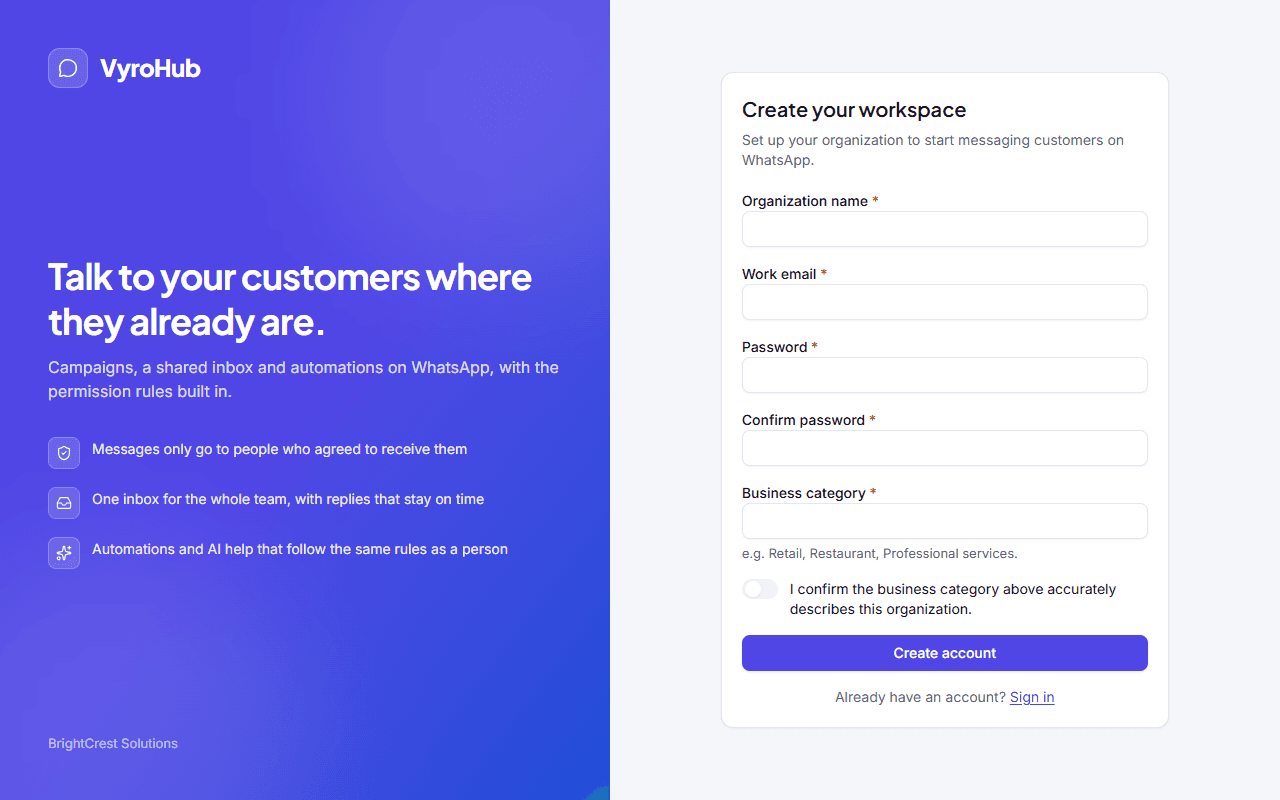
Open the sign-up page and choose Create account.
Fill in the form.
| Field | What to enter |
|---|---|
| Organization name | Your business's name, as your customers know it. |
| Work email | The address you'll sign in with. We send a verification link here. |
| Password and Confirm password | At least 12 characters. Common or easy-to-guess passwords are refused. |
| Business category | What your business does, for example Retail, Restaurant or Professional services. |
Tick "I confirm the business category above accurately describes this organization." The category matters: some kinds of business are restricted on WhatsApp.
Choose Create account. You see "Creating your workspace…" and then a page asking you to check your email.
Click the link in the email we sent. You see "Your email is verified".
Sign in with your email and password. If you are an Owner, you are asked to turn on two-step verification before you can use the workspace.
When it works
You land in your new workspace with the setup checklist open, and the "Verify your email" step already ticked.
Forgot your password
On the sign-in page choose Forgot password?
Enter your email and choose Send reset link. You always see "If an account exists for…", whether or not the address has an account. This protects your team's addresses from being guessed.
Open the link in the email and choose a new password.
When something goes wrong
| What you see | Why | What to do |
|---|---|---|
| "An account already exists for this email. Try signing in instead." | This address already has a VyroHub account. | Sign in, or use Forgot password? |
| "Choose a longer or less predictable password." | The password is shorter than 12 characters or too common. | Use a longer password, such as a short sentence. |
| "That link didn't work" | The verification link is old or was already used. | Enter your email and choose Resend verification email. |
| "Too many attempts. Try again in a few minutes." | Too many verification or reset emails were asked for. | Wait, then try once. Check your spam folder meanwhile. |
| "That email or password isn't right. Try again." | The email or password is wrong. | Check for typos, or reset your password. |
| "This account is temporarily locked after too many attempts. Try again shortly." | Several wrong passwords in a row. We email the account's address when this happens, in case it wasn't you. | Wait about 15 minutes, or reset your password. |
Limits
| Limit | Value | Set by |
|---|---|---|
| Password length | At least 12 characters | VyroHub |
| Verification emails | 3 an hour for one address | VyroHub |
| Password reset emails | 3 an hour for one address | VyroHub |
| Wrong passwords before a pause | 5 within 15 minutes | VyroHub |
| Signed out when idle | After 8 hours without activity | VyroHub |
| Longest a sign-in lasts | 30 days, then you sign in again | VyroHub |
Signing in with your company's identity provider instead of a password is not available yet.