Tags and custom fields
Label people with tags, keep your own details about them in custom fields, and use both in segments and campaigns.
ImplementedWorks in the app today, as this page describes.
Last reviewed against the app on
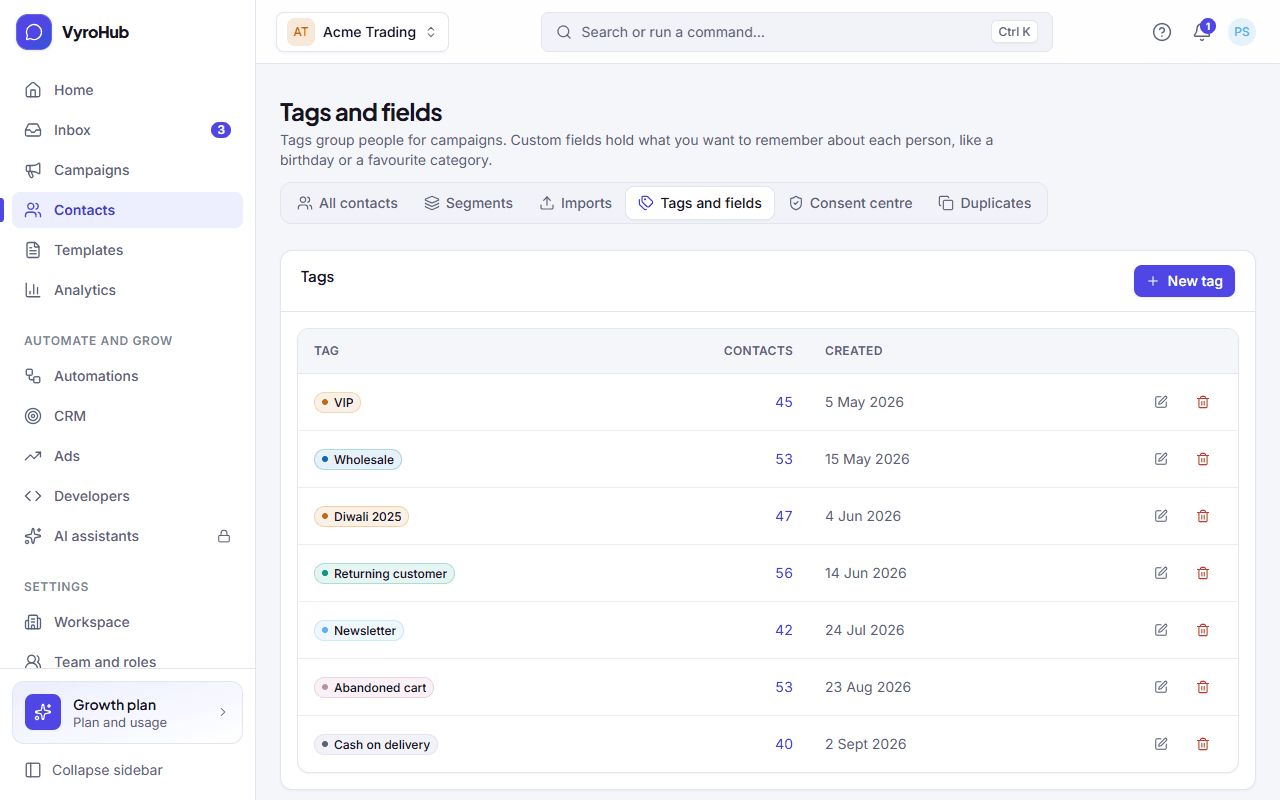
Tags group people, like VIP, Wholesale or Diwali fair. Custom fields hold what you want to remember about each person, like a birthday, a membership number or a favourite category. Both live under Contacts → Tags and fields.
Who can do this: Tags: everyone can put tags on contacts; Owner, Admin and Manager can create, rename and delete tags. Custom fields: Owner and Admin.
Tags or custom fields?
| Tag | Custom field | |
|---|---|---|
| Holds | Yes or no: the person has it or not. | A value: text, a number, a date, yes/no, or one of a list. |
| Good for | Groups: VIP, Wholesale, "Came to the shop". | Details: Birthday 1990-05-14, Loyalty points 1,250, Size M. |
| Use in a campaign | Pick "A tag" as the audience. | Fill a template's blanks with the person's own value. |
| Use in a segment | "has the tag" / "doesn't have the tag" | is, is not, contains, is more than, is less than, has a value, is empty |
Create a tag
Go to Contacts → Tags and fields and choose New tag.
Enter the name (how you find it) and pick a colour (only to help you spot it): Blue, Orange, Green, Pink, Amber, Sky or Grey. The dialog shows a preview.
Save. You see "Tag created".
Put tags on contacts
There are four ways:
| Where | How |
|---|---|
| One contact | On their page, add or remove tags. |
| Many contacts | On Contacts, tick people, then Add a tag or Remove a tag. You see "Added "VIP" to 120 contacts". |
| During an import | "Tag everyone from this file", or a tags column in the file. See import contacts. |
| Automatically from a segment rule | Not a tag action: a rule-based segment can find people by tag. |
Create a custom field
On Contacts → Tags and fields, choose New field.
Enter a name (for example "Date of birth") and choose its kind:
| Kind | Accepts | Example |
|---|---|---|
| Text | Any text up to 1,000 characters | Favourite category: Sarees |
| Number | A number; thousands separators are fine | Loyalty points: 1,250 |
| Date | Year-month-day only | Date of birth: 1990-05-14 |
| Yes or no | yes, no, true, false, y, n, 1, 0 | Wholesale buyer: yes |
| One of a list | One of the options you write, one per line (capital letters don't matter) | Size: S, M, L, XL |
Optionally tick Required when adding a contact. Then everyone adding a contact by hand must fill it in.
Save. You see "Field created", and the field appears on every contact's page.
Edit or delete
- Rename a tag or change its colour: choose Edit next to it.
- Delete a tag: it is removed from every contact that has it. The contacts themselves stay.
- Delete a custom field: its value is removed from every contact, and any segment rule that uses it stops matching. This can't be undone. The dialog tells you how many contacts have a value.
When it works
The Tags table lists each tag with how many contacts have it. The Custom fields table lists each field with its kind (and its options for a list), whether it's required, and how many contacts have a value.
When something goes wrong
| What you see | Why | What to do |
|---|---|---|
| "Enter a name for the tag." / "Give the field a name." | The name is empty. | Type a name. |
| "Add at least one choice, one per line." | A "One of a list" field has no options. | Write the options, one per line. |
| "A choice field can have at most 100 options." | Too many options. | Shorten the list, or use a Text field. |
| "Each option can be at most 100 characters." | An option is too long. | Shorten it. |
| "Write the date as year-month-day, for example 2026-10-23." | A date was written another way. | Use the year-month-day form. |
| "Choose one of the listed options." | The value isn't one of the field's options. | Pick an option, or add it to the field. |
| "Couldn't save the tag." | A short connection problem, or the limit is reached. | Try again; check the limits below. |
Limits
| Limit | Value | Set by |
|---|---|---|
| Tags in a workspace | 500 | VyroHub |
| Tags on one contact | 50 | VyroHub |
| Custom fields in a workspace | 100 | VyroHub |
| Options in a "One of a list" field | 100, each up to 100 characters | VyroHub |
| A field's value | 1,000 characters | VyroHub |
| Tagging many contacts at once | 1,000 contacts per action | VyroHub |