Export contacts
Download your contact list, or the filtered part of it, as a file.
ImplementedWorks in the app today, as this page describes.
Last reviewed against the app on
Who can do this: Owner, Admin
Every export is recorded in your audit log.
Steps
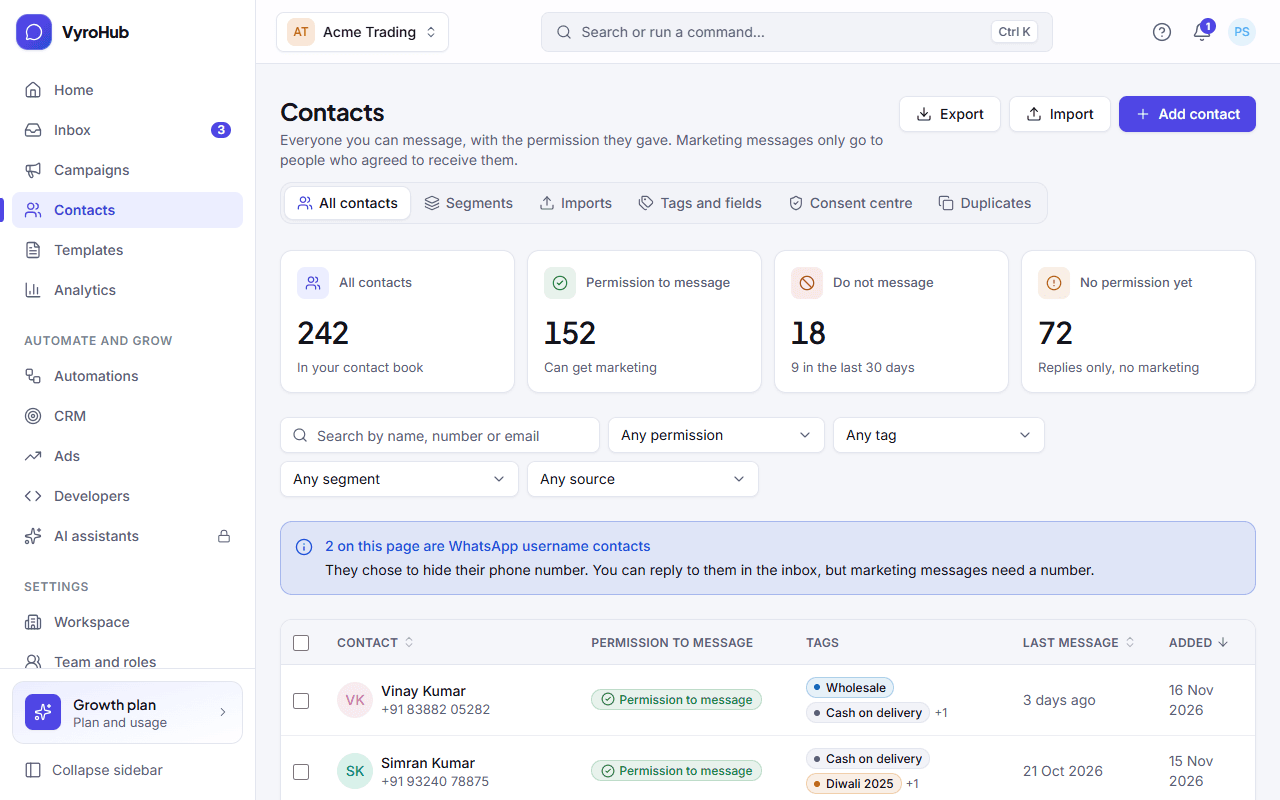
Go to Contacts. Use search and filters if you only want some people: the export follows them.
Choose Export. You see "Preparing your export".
For more than 1,000 contacts, the dialog Export a large contact list asks for a fresh code from your authenticator app. Enter it and choose Start export.
The file downloads by itself when it's ready.
When it works
You see "Export downloaded: The download is recorded in your audit log." The export also appears under Analytics → Exports.
When something goes wrong
| What you see | Why | What to do |
|---|---|---|
| "The export is taking longer than usual" | Large lists can take a while. | Try again in a few minutes, or download it later from Analytics → Exports. |
| "Couldn't build the export" | The file couldn't be made. | Try again; if it keeps failing, contact support. |
| "Couldn't start the export" | A short connection problem. | Try again. |
| "The export expired before it could be downloaded." | Export files are kept for a limited time. | Export again. |
Limits
| Limit | Value | Set by |
|---|---|---|
| Contacts in one export | 500,000 | VyroHub |
| Needs a code from your authenticator app | Above 1,000 contacts | VyroHub |
| How long the file is kept | 7 days | VyroHub |