Add and edit contacts
Add one person, read their page, edit them, download what you hold about them, and delete or erase them.
ImplementedWorks in the app today, as this page describes.
Last reviewed against the app on
Who can do this: Everyone can add and edit
Deleting a contact, erasing their data and downloading everything held about them need Owner or Admin.
Add a contact
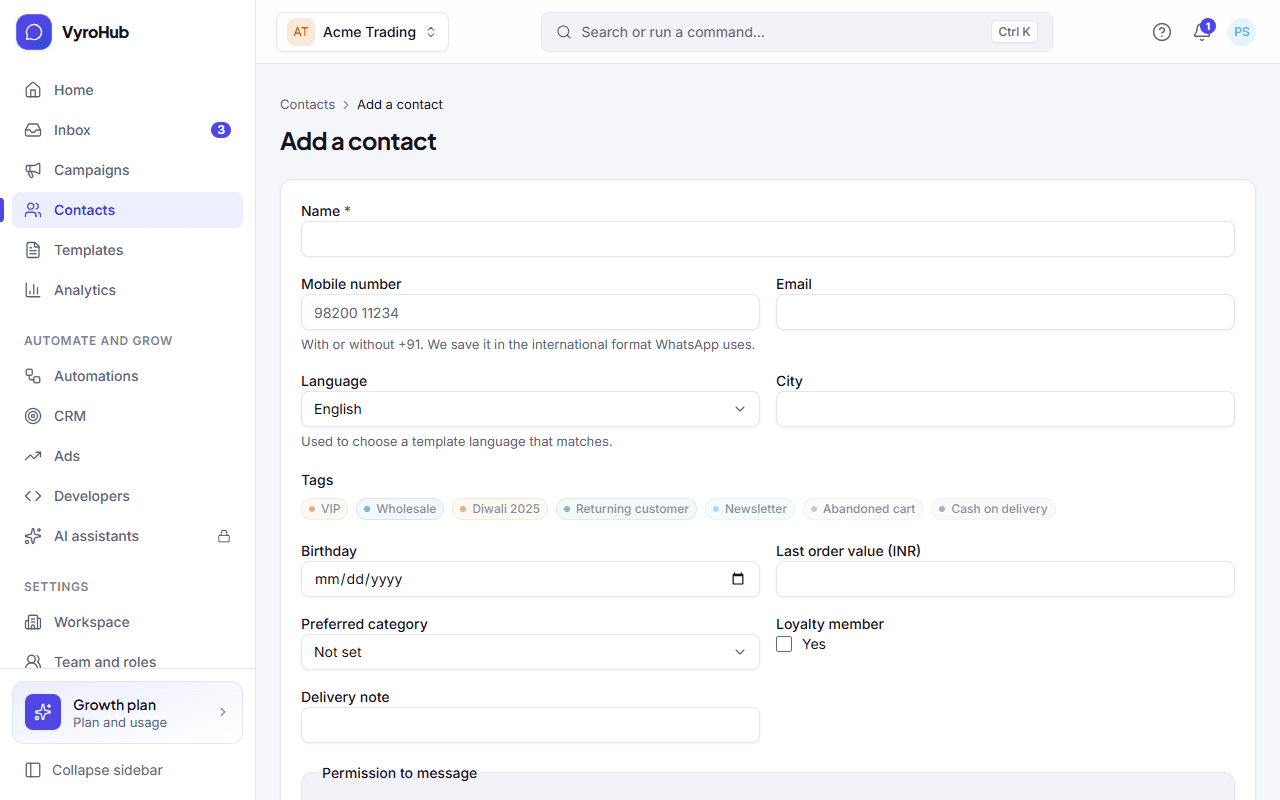
Go to Contacts and choose Add contact.
Enter their name and mobile number (both required), and any other details. Custom fields marked required by your workspace must be filled in too.
Choose Add contact. You see "… added" and their page opens.
If they agreed to receive marketing, record their permission on their page. A new contact has no permission until you record it.
A contact's page
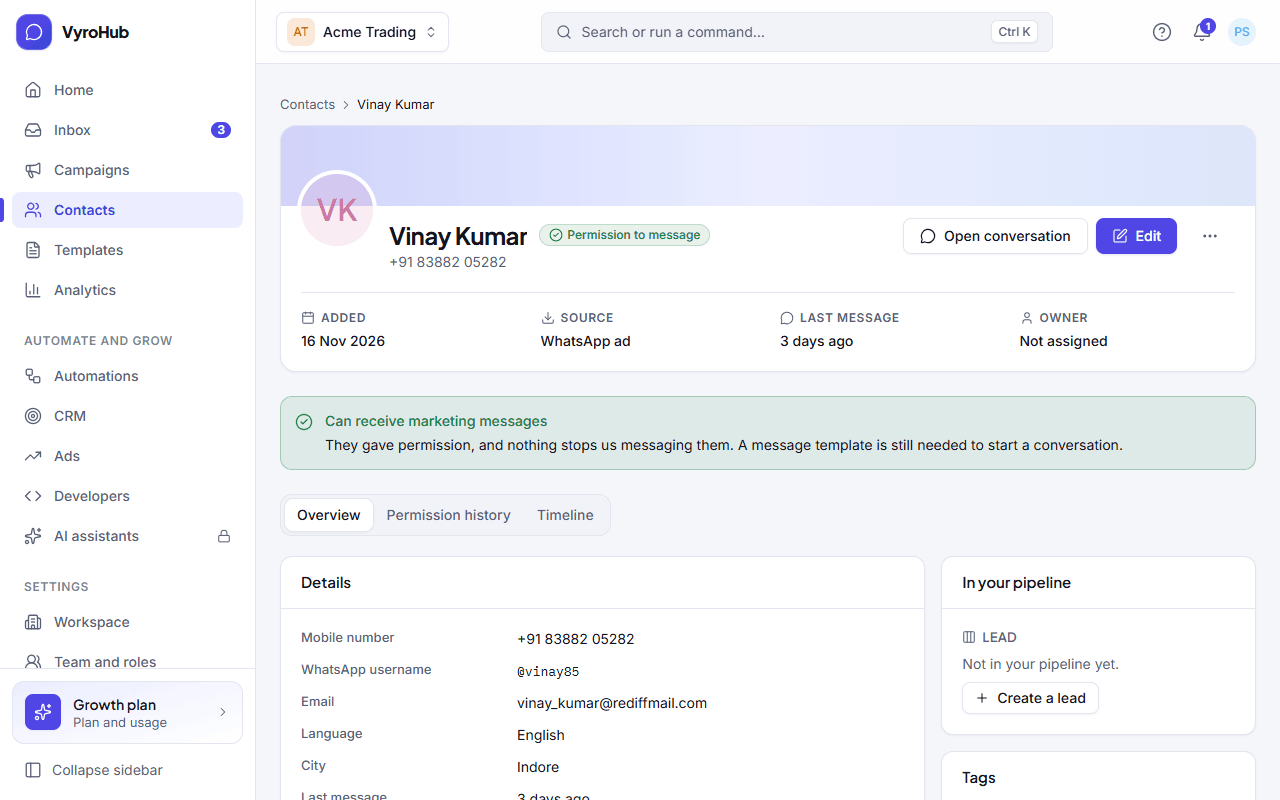
| Part | What it shows |
|---|---|
| Details | Mobile number (or "Not shared (WhatsApp username)"), WhatsApp username, email, last message, who it's assigned to. |
| Custom fields | Your own details about them. See tags and custom fields. |
| Tags | Their labels. |
| Where they stand | Their permission for each kind of message: Marketing, Updates (orders and account), One-time codes. |
| Permission history | Every permission and opt-out, with where and when. Nothing is edited or deleted, so you can always show how someone agreed. |
| Timeline | Messages, campaigns, notes and permission changes for this person. |
More actions on the page: Open conversation, Record permission to message…, Do not message…, Delete contact…, Erase their data…, Download everything we hold…
Delete or erase?
| Delete contact | Erase their data | |
|---|---|---|
| Use it when | You don't need them in your contact book any more. | The person asked you to delete their personal data. |
| What goes | They leave your contacts and segments. | Name, number, email, tags and history are removed for good. |
| What stays | Their conversations stay in the inbox history. | Only a one-way record, so that if they asked not to be messaged, that is still honoured. |
| Can it be undone? | No | No |
| Extra checks | A confirmation. | A reason, and a code from your authenticator app. |
After an erase the contact shows as "Erased contact: Details removed on request." If the same number becomes a contact again later and had asked not to be messaged, the new contact keeps that request ("Carried over: this number asked not to be messaged before an earlier contact was erased.").
Download everything you hold about someone
When a person asks what data you have about them, open their page and choose Download everything we hold…. You see "Preparing their data", and the file downloads when ready. The download is recorded in your audit log.
When it works
The contact appears in the list, their page shows "Nothing here yet" in the timeline until you talk to them, and Where they stand shows no permission until you record it.
When something goes wrong
| What you see | Why | What to do |
|---|---|---|
| "This number is already a contact" | Someone with this number exists. | Choose Find that contact and edit them instead. Adding the same person twice splits their history. |
| "Enter a mobile number so we can message them." | The number is missing. | Add the number with its country code. |
| "… is required." | Your workspace made that custom field required. | Fill it in. |
| "We couldn't find that contact" | It was deleted, or the link is wrong. | Go back to contacts and search. |
| "This is taking longer than usual" when downloading their data | A large history takes time. | Try again in a few minutes. |
| "You can't add contacts" | Your role can't. | Ask an Owner, Admin or Manager. |
Limits
| Limit | Value | Set by |
|---|---|---|
| Tags on one contact | 50 | VyroHub |
| Email address length | 254 characters | VyroHub |
| A custom field's value | 1,000 characters | VyroHub |
| Contacts on your plan | Shown on Settings → Billing and plan | Your plan |