Reply to customers
Reply inside the 24-hour window, attach files, send a template when the window is closed, write notes for your team, and handle failed messages.
ImplementedWorks in the app today, as this page describes.
Last reviewed against the app on
Who can do this: Everyone, for conversations they can see
If you can read a conversation but not answer it, you see: 'You can read this conversation, but only teammates with reply access can answer.'
Reply
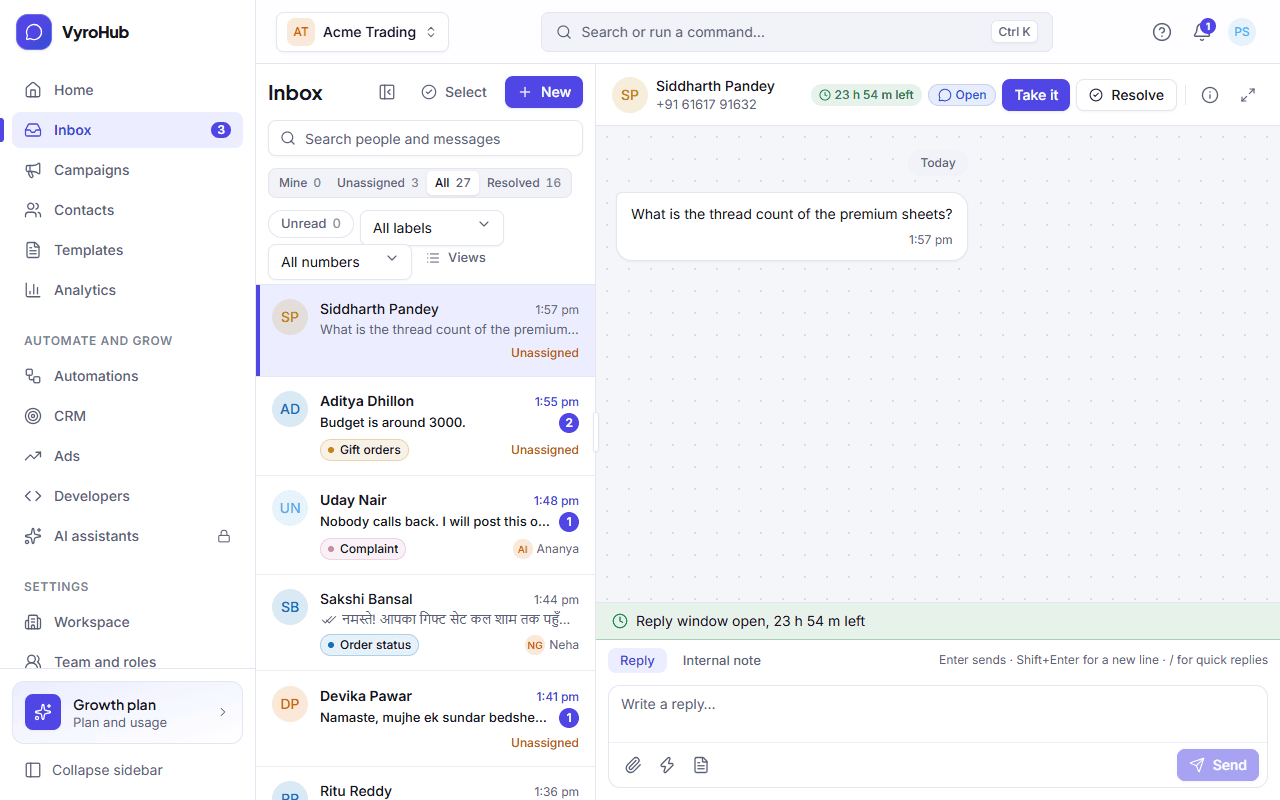
Open a conversation from Inbox.
Check the reply window in the details column on the right: how long you can still write freely.
Type in Write a reply…. Press Enter to send, Shift+Enter for a new line.
To attach a file, choose Attach a file, and optionally Add a caption.
To insert a saved answer, type / and pick a quick reply.
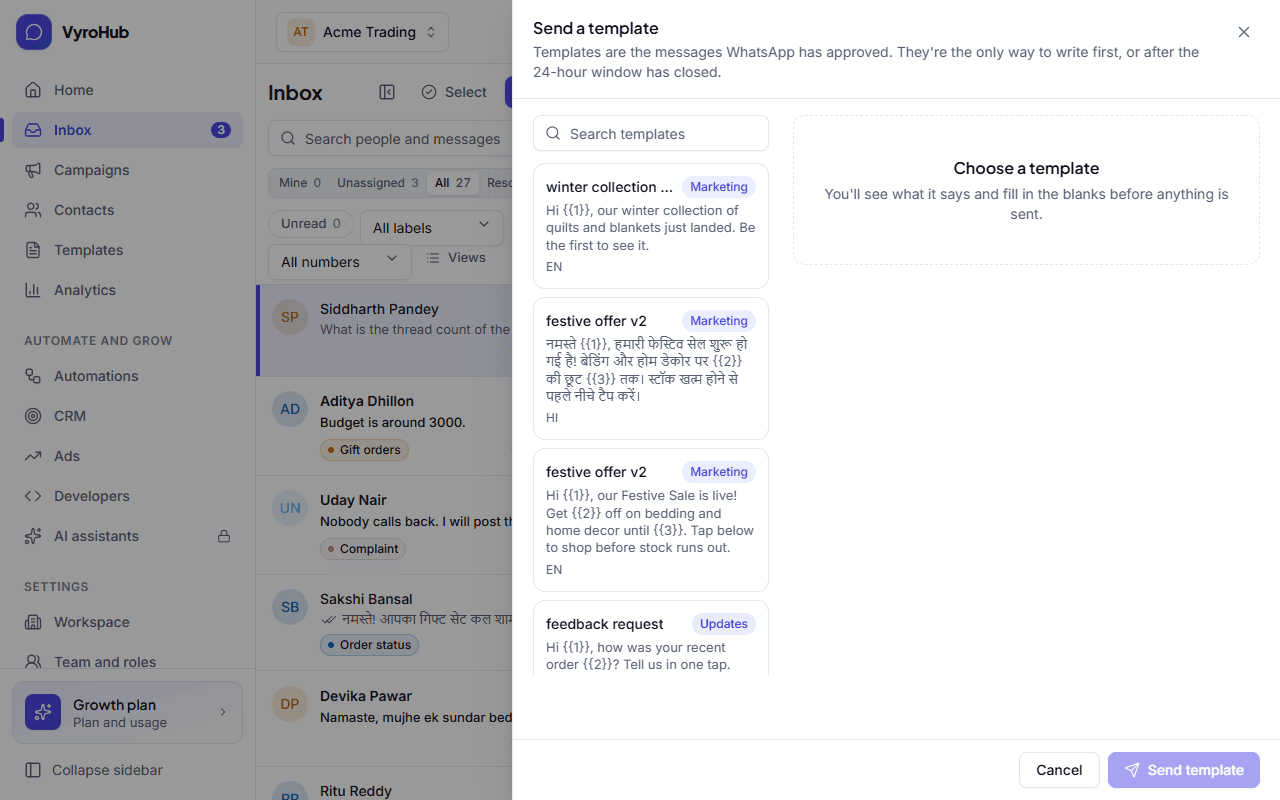
The window is closed: send a template
When the reply window has closed, the box says "The reply window is closed. Send a template to continue."
Choose Send a template.
Search and pick an approved template. You see what it says before anything is sent.
Fill in the blanks (one value per blank), then Send template.
You see "Template sent: They can reply freely for 24 hours once they answer."
Write a note for your team
Switch the box to Internal note. Only your team sees notes; they are never sent to the customer. Type @ to mention a teammate, then Add note.
When it works
Your message appears in the thread with its progress: Sending, Sent, Delivered, then Read when the customer opens it. New customer messages appear live, and a "new messages" button takes you to them.
When something goes wrong
The template picker blocks a template:
| What you see | Why | What to do |
|---|---|---|
| "They asked not to receive marketing" | A do-not-message request beats any earlier permission. | Don't send marketing. If you're replying about an order, pick an Updates template. |
| "No permission for marketing yet" | No record that they agreed to marketing. | Record their permission on their contact, or pick an Updates template. |
| "No phone number for this person" | A WhatsApp username contact has no number, and templates need one. | Reply while their window is open; send a template once they share their number. |
| "No approved templates yet" | You have no approved template. | Create one in Templates. WhatsApp usually approves within a day. |
A message failed:
| What you see | Why | What to do |
|---|---|---|
| A failed message with a retry option | Sending failed for a reason that can be retried. | Retry it. You see "Trying again". |
| "We haven't heard back from WhatsApp about this one. We won't send it again until we know." | It's unclear whether WhatsApp received it. VyroHub never sends twice blindly. | Choose Check delivery. You then see "WhatsApp never received it: It's safe to send again", or "Good news: it was delivered". |
| "This can't be retried. If the number is right, ask the customer to message you first." | WhatsApp refused it for good. | Check the number; ask the customer to write to you. |
Other messages:
| What you see | Why | What to do |
|---|---|---|
| "You can't send to this person right now." | For example they asked not to be messaged at all, or their contact was erased. | Open the contact to see why. |
| "This conversation is resolved. Replying reopens it." | Just a note. | Reply if you need to; it reopens. |
| "A file of this kind can be at most N MB." | The file is too big for WhatsApp. | Send a smaller file or a link. |
| A link to Open WhatsApp numbers or See billing in the box | The number can't send, or sending is switched off for the workspace. | Fix the number, or see missed payments. |
| "Handed over" | Someone else took the conversation, so it left your inbox. | Nothing was lost; they can see everything you wrote. |
Limits
| Limit | Value | Set by |
|---|---|---|
| Free-form replies | Only within 24 hours of the customer's last message | |
| An attached file | 20 MB, less for some kinds of file | WhatsApp and VyroHub |
| A note | 2,000 characters, up to 20 mentions | VyroHub |
Saving a conversation as a file. Today it shows "Transcripts are coming soon"; you can copy the conversation from the thread meanwhile.