Assign and resolve
Take a conversation, hand it to a teammate, put it back in the queue, label it, and resolve or reopen it.
ImplementedWorks in the app today, as this page describes.
Last reviewed against the app on
Each conversation is handled by one person at a time, so customers never get two answers or none.
Who can do this: Everyone, for conversations they can see
An Agent can take an unassigned conversation and hand one of their own to someone on their teams. Managers, Admins and Owners can assign to anyone they can see.
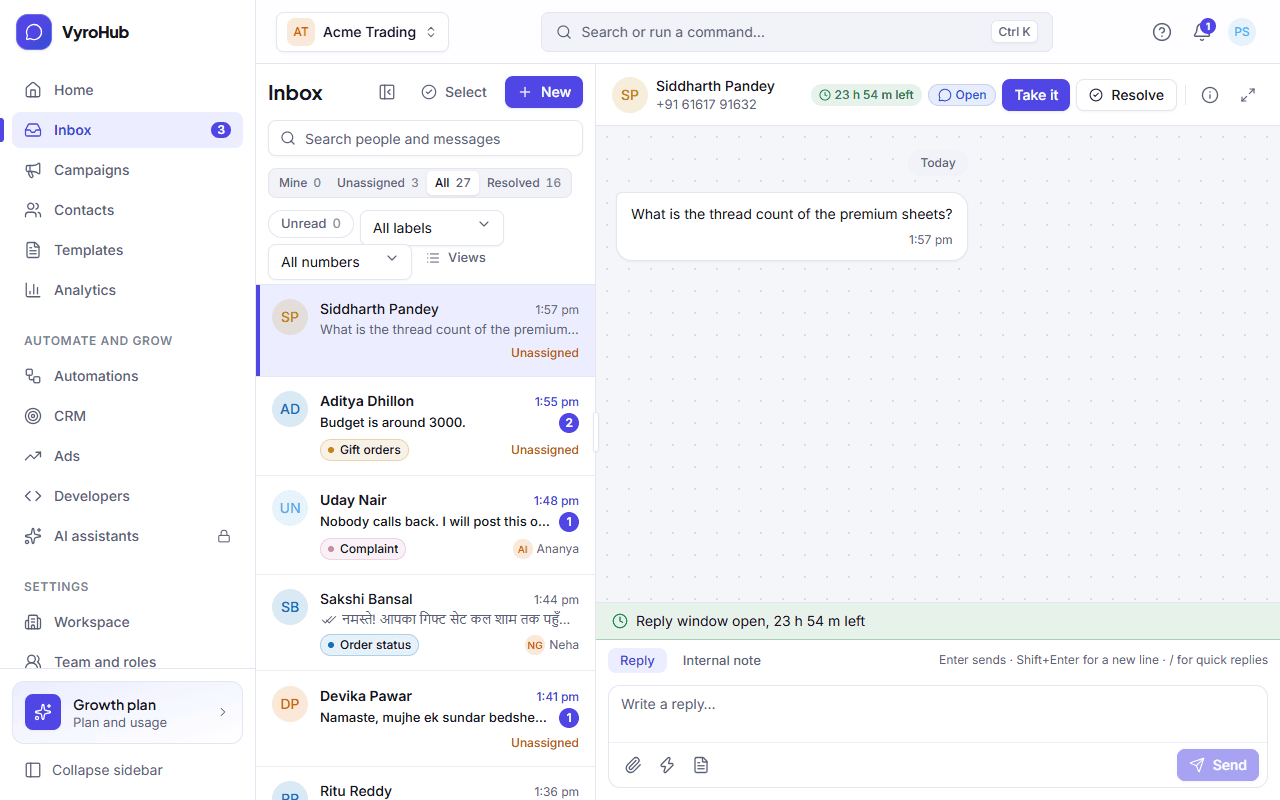
Take a conversation
Open the Unassigned view.
Open a conversation and choose Take it. You see "You took this conversation", and it moves to Mine.
Hand it over or put it back
In the conversation's header, choose Change next to "Assigned to …" (or Assign to).
Pick a teammate. You see "Assigned to …". Or choose Put back in the queue: it returns to Unassigned ("Back in the queue").
Label a conversation
Labels sort conversations by topic or priority, like Complaint or Wholesale. Choose Add label in the conversation and pick one. Labels are made in inbox settings, and routing rules can add them automatically.
Resolve and reopen
- Resolve when you're done: you see "Conversation resolved: It comes back if the customer writes again."
- A resolved conversation reopens by itself when the customer writes, or when you reply to it.
The details column
The right-hand column shows: the customer and their contact page (Open contact), the reply window, your number, earlier conversations, and Handled by. Hide or show it with the column button in the header.
When it works
The conversation moves to the right view straight away for everyone, without reloading.
When something goes wrong
| What you see | Why | What to do |
|---|---|---|
| "Couldn't take it" / "Couldn't change the assignment" | Someone else changed it at the same moment, or a connection problem. | Reload the conversation and try again. |
| "Couldn't resolve it" | A short connection problem. | Try again. |
| "This conversation isn't available" | It was removed, or belongs to someone else's queue that you can't see. | Go back to the inbox. |
Limits
| Limit | Value | Set by |
|---|---|---|
| Labels on one conversation | 20 | VyroHub |
| Note when assigning | 500 characters | VyroHub |