Manage templates
Find templates, add language versions, duplicate, delete, and see which campaigns use a template.
ImplementedWorks in the app today, as this page describes.
Last reviewed against the app on
Who can do this: Everyone can see templates
Owner, Admin and Manager can duplicate and add languages. Only Owner and Admin can delete.
Find a template
On Templates → My templates: search by name or text, and filter by status, kind ("Any category") or language. Banners at the top tell you when templates are paused ("Show them") or when WhatsApp changed the category of some.
Add a language version
One message, written once for each language. Campaigns pick the version that matches each person's language.
Open the template and choose Add a language…
Choose the language and Create draft. VyroHub copies the message as a new draft in that language.
Translate it, then Submit for review.
Duplicate a template
Open the template's More actions and choose Duplicate. You see "… is a new draft." Use this to change the name, language or kind of a submitted template, or to start a new one from a disabled one.
See where a template is used
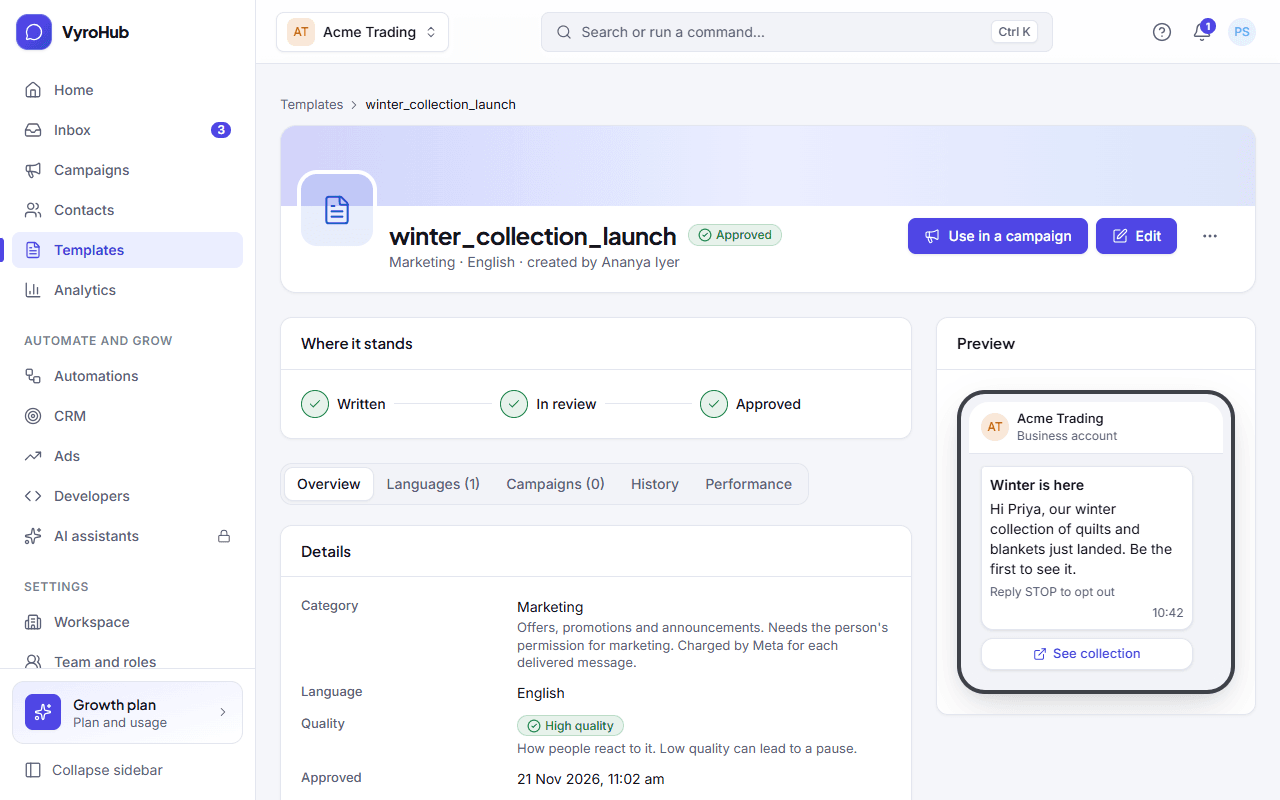
A template's page shows Campaigns that use it and Status history.
Delete a template
Open the template, choose More actions → Delete…
Confirm with Delete template.
It is removed from your templates. Messages already sent are not affected.
When it works
- Language added: a new draft appears under Language versions.
- Duplicated: "… is a new draft", ready to edit.
- Deleted: "Template deleted".
When something goes wrong
| What you see | Why | What to do |
|---|---|---|
| Delete refused because a campaign uses it | A running or scheduled campaign uses this template. | Finish or cancel that campaign first. |
| "A disabled template can't be edited. Create a new one instead." | Disabled templates are final. | Duplicate it and write a new version. |
| "Couldn't copy it" / "Couldn't add it" | A short connection problem, or the template limit is reached. | Try again; check "Your limits". |
| "No templates match" | Your search or filters hide everything. | Choose Clear filters. |
Limits
| Limit | Value | Set by |
|---|---|---|
| Templates in your account | A total set by WhatsApp, shown as "N of M templates used" | |
| New templates per hour | Set by WhatsApp, shown as "Created in the last hour" | |
| Uploaded header samples | 100 per workspace, 200 MB in all; an unused sample is removed after 7 days | VyroHub |