Review and template status
What happens after you submit a template, and what to do when it's rejected, paused, disabled or re-categorised.
ImplementedWorks in the app today, as this page describes.
Last reviewed against the app on
Who can do this: Everyone can see a template's status
Fixing and resubmitting needs Owner or Admin to submit.
Steps
After you submit, open the template from Templates. Review progress shows where it stands.
Wait for WhatsApp's reply. You get a notification as soon as it arrives.
Act on the result using the table below.
When it works
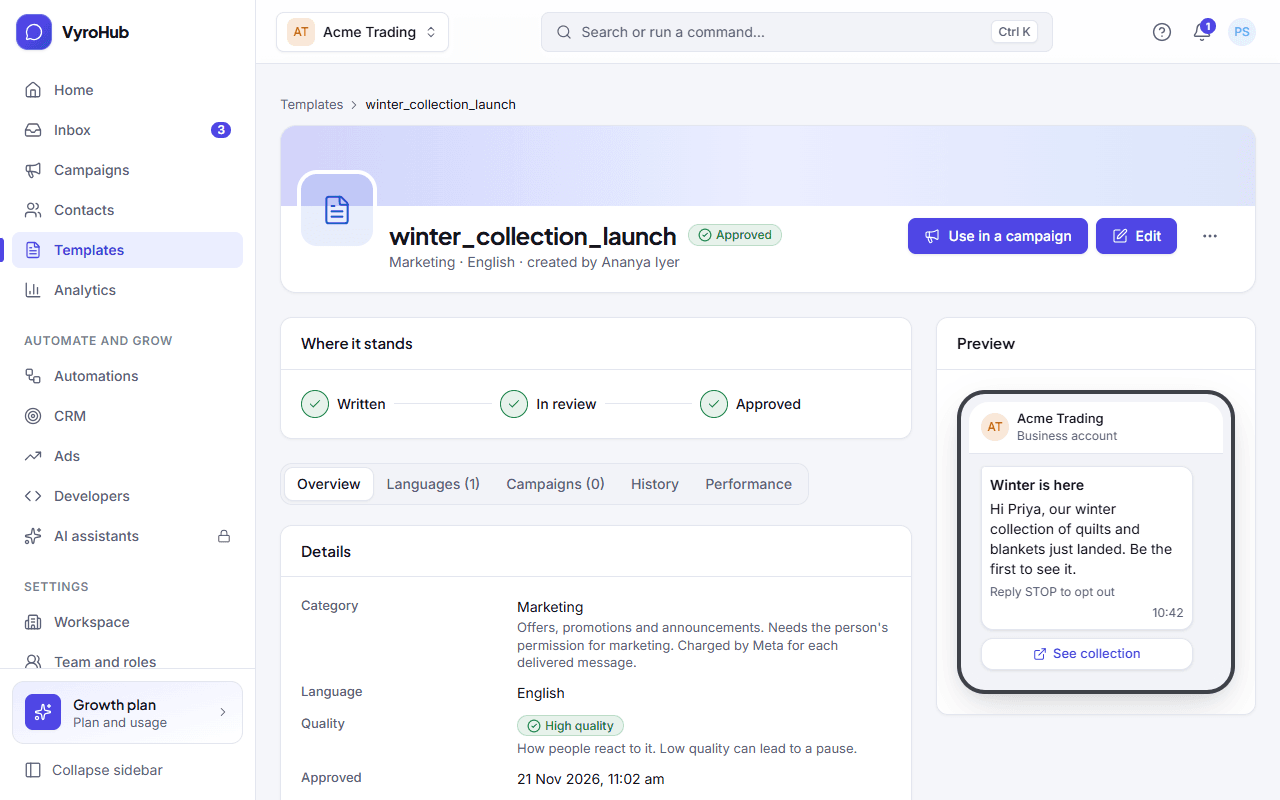
The template shows Approved. It can now be picked in the inbox (Send a template) and in a campaign (Use in a campaign on its page).
When something goes wrong
| What you see | Why | What to do |
|---|---|---|
| WhatsApp rejected this template | WhatsApp didn't accept the wording or the kind. | Choose Edit and resubmit, fix the wording, and submit again. There is no limit on resubmitting. |
| This template is paused | Many people blocked or reported it. Campaigns that use it are held. | Wait: it returns to normal once quality recovers, usually after a few days without complaints. Meanwhile send it only to people who recently engaged with you, and review the wording. |
| This template was disabled | It stayed at low quality. | It can't be sent or edited. Choose Create a new template with clearer wording and a smaller audience. |
| WhatsApp changed the category from … to … | WhatsApp decided the message is another kind. That can change what each message costs. | Read the explanation and choose Got it. If you disagree, write a new template that fits the kind you want. |
| "This template is in review. Wait for the result before editing it." | You can't edit during a review. | Wait for the reply. |
| It stays In review for more than a day | WhatsApp is slow, or the update didn't reach us. | On the Templates page choose Check with WhatsApp. |
Editing an approved template
You can change an approved template; the edit goes to WhatsApp for a new review.
- The approved version stays in use until the edit is approved. Campaigns and the inbox keep sending it.
- The template shows An edit is in review ("Edit in review" in the list).
- When WhatsApp approves the edit, it takes over and you're notified.
The name, language and kind can't change once a template has been submitted. To change them, choose Duplicate and start from the copy.
Check with WhatsApp
On the Templates page, Check with WhatsApp asks WhatsApp for the latest status of every template and brings in templates made directly in your WhatsApp account. You see "Up to date with WhatsApp" and how many changed, or "Nothing had changed." VyroHub also checks by itself once a day.
Limits
| Limit | Value | Set by |
|---|---|---|
| Review time | Usually a few hours, at most 24 | |
| Resubmitting a rejected template | No limit | |
| Check with WhatsApp | Once every 30 seconds per workspace | VyroHub |
| Status history on a template's page | The last 100 changes | VyroHub |