Manage your numbers
Choose the default sender, reconnect a number whose access ended, and disconnect a number.
ImplementedWorks in the app today, as this page describes.
Last reviewed against the app on
Who can do this: Owner, Admin
Managers can view numbers. Disconnecting asks for a code from your authenticator app, and an Admin's disconnect also notifies the Owner.
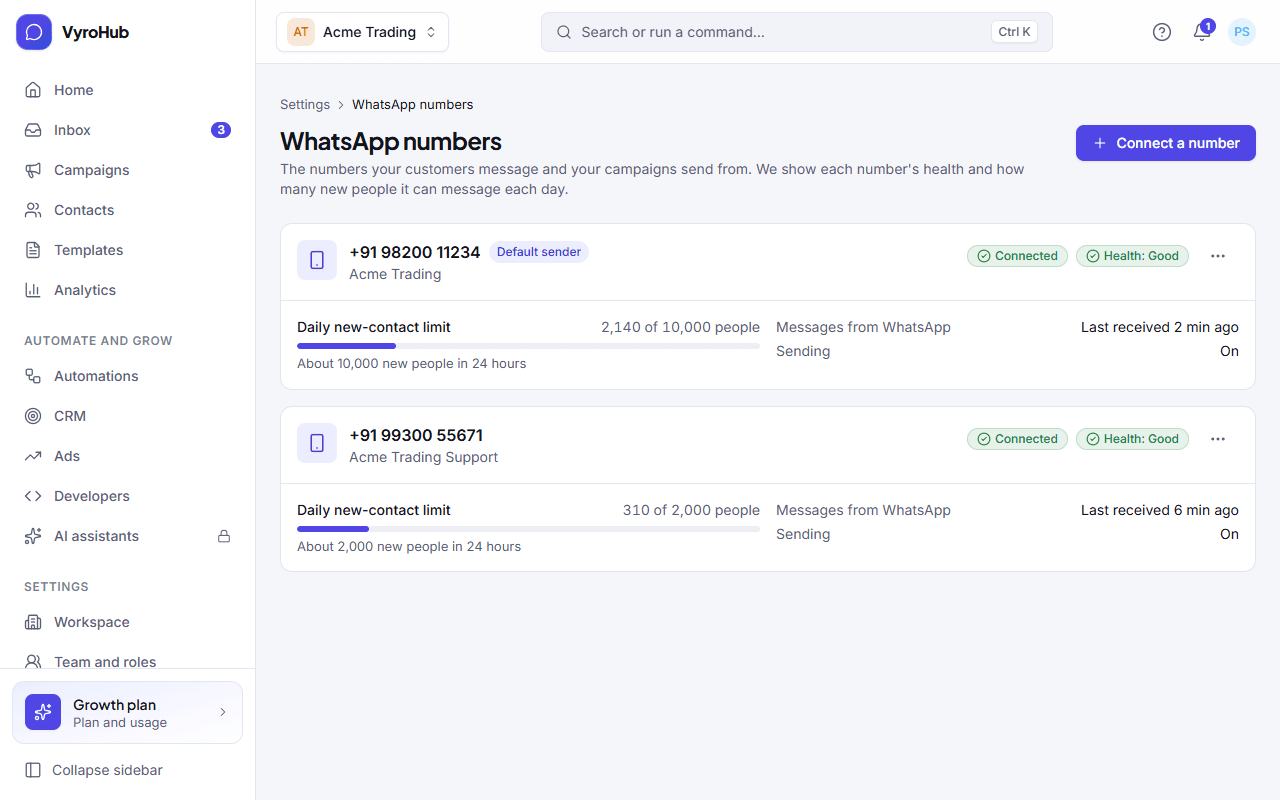
Make a number the default sender
Go to Settings → WhatsApp numbers.
Open the actions on the number and choose Make default sender. You see "… is now your default sender".
The default sender is used when a screen doesn't ask you to pick a number.
Reconnect a number
Reconnect when a number shows Expired, reconnect needed or Revoked, reconnect needed, or a campaign was held because the number "needs to be reconnected".
Open the number and choose Reconnect this number.
Sign in to Meta again in Meta's window to give VyroHub fresh access to this number.
When setup finishes, held campaigns can be resumed from their report.
Disconnect a number
This stops the number straight away
The number stops sending and receiving in this workspace right away. Messages waiting to be sent are stopped, and campaigns that use it are held. Conversations and history stay.
Open the number's actions and choose Disconnect…
Optionally say why, then choose Disconnect number.
Enter a code from your authenticator app.
When it works
- Default: the number is marked Default sender.
- Reconnect: the access warning goes away and the number can send again.
- Disconnect: you see "… is being disconnected", then "… disconnected" with how many waiting messages were stopped. The number shows as disconnected: nothing can be sent from it. Connect it again to use it.
When something goes wrong
| What you see | Why | What to do |
|---|---|---|
| "Couldn't change the default" | A short connection problem. | Try again. |
| "Couldn't start the reconnect" | A short connection problem. | Try again in a moment. |
| "That code didn't work. Try again." | The authenticator code was wrong or expired. | Enter the next code from your app. |
| "This number is being disconnected. Try again when that has finished." | A disconnect is still running. | Wait a minute, then try again. |
| "Ask an Admin to reconnect." | Your role can't reconnect numbers. | Ask an Owner or Admin. |
Limits
| Limit | Value | Set by |
|---|---|---|
| WhatsApp numbers on your plan | Shown on Settings → Billing and plan | Your plan |
| Disconnect | Needs a code from your authenticator app | VyroHub |