Approvals
When a Manager's campaign needs an Owner or Admin to approve it, and how to approve or send it back.
ImplementedWorks in the app today, as this page describes.
Last reviewed against the app on
A Manager can send a campaign on their own to a limited number of people. Above that limit, an Owner or Admin must approve it first. This keeps a big send from going out by mistake.
Who can do this: Owner, Admin approve
Managers send for approval. Owners and Admins never need approval.
For the Manager: send for approval
Build the campaign as usual. If the audience is above your limit, the checks say "An Admin or Owner needs to approve this" and the button becomes Send for approval.
Choose Send for approval. You see "Sent for approval: An Admin or Owner will review it."
Wait. The campaign shows Needs approval ("Waiting for an Admin or Owner"). You're told when it's decided.
For the Owner or Admin: approve or send back
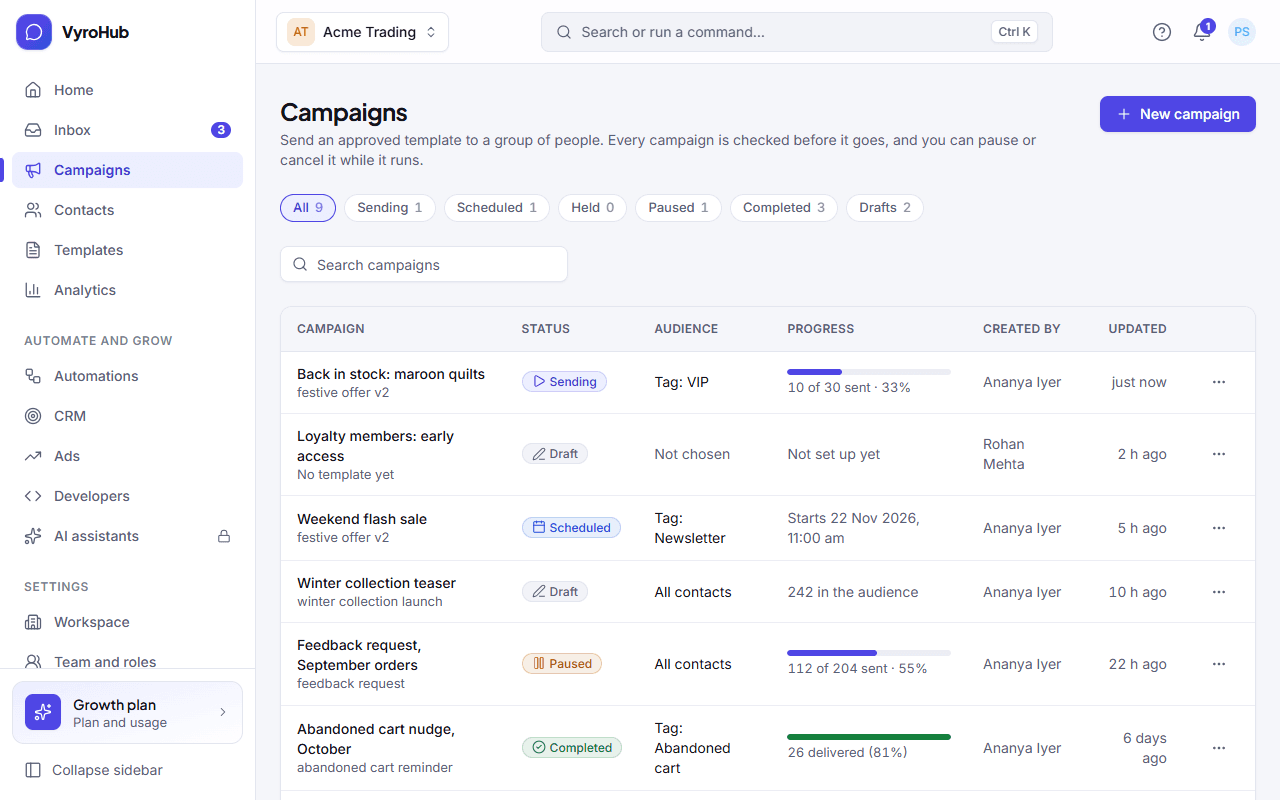
On Campaigns, a banner says "N campaigns are waiting for your approval: A manager asked to send to more people than their limit allows." Open the campaign.
Review the audience, the template and the checks.
Approve to let it go (now or at its scheduled time), or Send back with a reason, for example "The audience is too broad. Limit it to VIP customers."
When it works
- Approved: you see "Approved: The campaign is on its way." It starts sending, or waits for its scheduled time. Its report shows Approved by and when.
- Sent back: it returns to Draft. The Manager sees your reason (Sent back by) and can change it and send it for approval again.
When something goes wrong
| What you see | Why | What to do |
|---|---|---|
| "Couldn't send it back" | A short connection problem. | Try again. |
| Things changed while it waited | For example, the template was paused or people opted out. | Open the campaign and read its details before approving. People who opted out are still left out when it sends. |
Limits
| Limit | Value | Set by |
|---|---|---|
| People a Manager can send to without approval | 100 by default | VyroHub (set per workspace) |