Exports
Download reports as files, and find every export your team made.
ImplementedWorks in the app today, as this page describes.
Last reviewed against the app on
Big exports are prepared in the background, so you can keep working. Each file is kept for 48 hours, then removed.
Who can do this: Owner, Admin, Manager
Steps
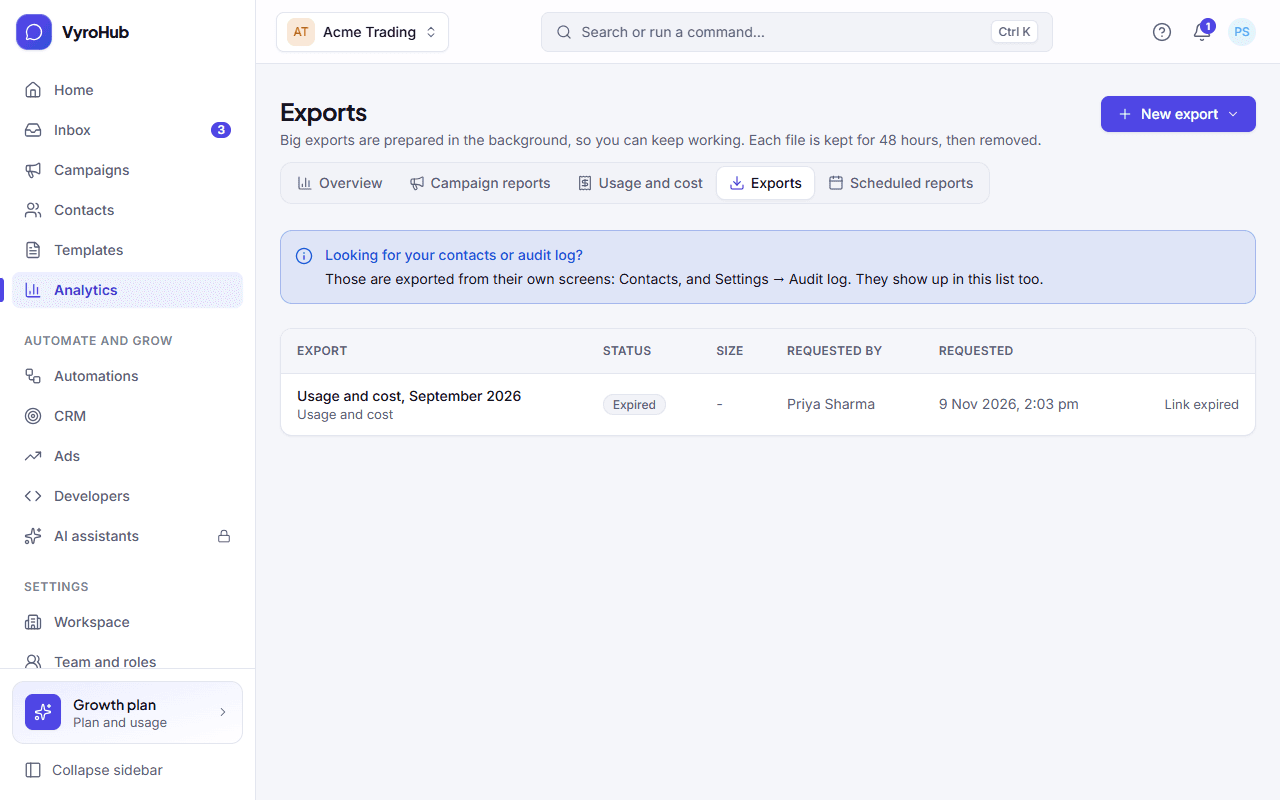
Go to Analytics → Exports and choose New export.
Choose what to export:
| Export | Contains |
|---|---|
| Usage and cost, this month | The figures from usage and cost. |
| Overview report, last 30 days | The figures from the analytics overview. |
| Conversations summary | A summary of your conversations. |
You see "Export started". It appears in the list in a few seconds.
When it's ready, a download button appears next to it, with its size and number of rows.
Contacts and the audit log are exported from their own screens (Contacts, and Settings → Audit log). Those exports show up in this list too, along with campaign results and contact data requests.
When it works
The export is listed as ready with a download button. Download it within 48 hours.
When something goes wrong
| What you see | Why | What to do |
|---|---|---|
| "Link expired" | The file was kept for 48 hours and then removed. | Start a new export. |
| "Couldn't start the export" | A short connection problem, or you already have several exports being made. | Wait for one to finish, then try again. |
| "Couldn't download it" | A short connection problem. | Try again. |
| "No exports yet" | Nothing exported yet. | Choose New export. |
Limits
| Limit | Value | Set by |
|---|---|---|
| How long a file is kept | 48 hours | VyroHub |
| Exports being made at once, per person | 5 | VyroHub |
Usage and costPartial
What you sent each month, roughly what Meta will charge for it, and how much of your plan's message allowance is used.
How billing worksPartial
The two bills you get, your plan and trial, billing periods, what your plan limits, and the life of a subscription from trial to renewal.